Category: Uncategorized

  • Best ATS Resume Keywords for Software Engineers in 2026

    Best ATS Resume Keywords for Software Engineers in 2026

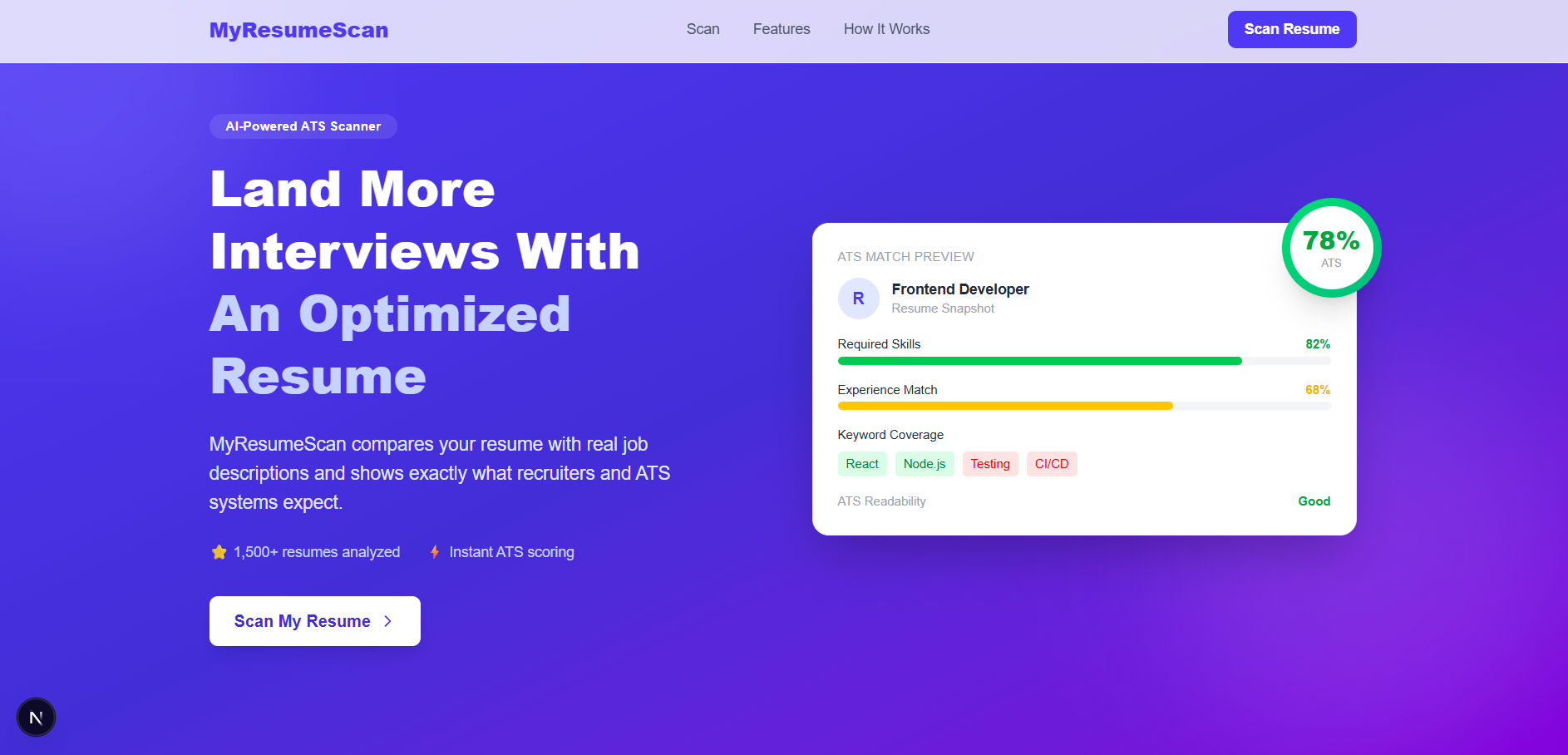
    Before a recruiter reads your resume, an ATS scores it. If the right keywords aren’t present — in the right context — your application gets filtered out automatically. Use MyResumeScan to check your resume’s ATS score against any job description before you apply.


    Most software engineers write their resume once and send it everywhere. That’s the first problem. The second is writing it for human readers rather than for the ATS that scores it before any human gets involved.

    ATS systems don’t read your resume the way a recruiter does. They extract keywords, check them against the job description, and score the match. The keywords that matter most in 2026 have shifted — cloud-native skills, AI tooling familiarity, and systems thinking are now baseline expectations at mid and senior levels, not differentiators.

    This guide covers the exact keywords that score highest across the most common software engineering roles right now, organized by specialization and seniority so you can find what applies to your situation directly.


    How ATS Keyword Scoring Actually Works

    Before getting to the lists, one crucial thing to understand: where a keyword appears matters as much as whether it appears.

    ATS systems apply different weights based on context:

    • Keyword in a work experience bullet → full credit
    • Keyword in a project description → full credit
    • Keyword in a skills section only → 50% credit
    • Keyword not present → zero, added to missing keywords list

    This means pasting every keyword from the list below into a skills section at the top of your resume will not move your score the way you expect. The keywords need to appear inside descriptions of actual work you did. The skills section supports the experience — it does not replace it.

    With that in mind, here are the keywords that matter in 2026, by role.


    Full Stack Developer Keywords

    Full stack roles have the widest keyword surface area — you’re expected to show competency across frontend, backend, databases, and deployment. These are the terms that appear most frequently in full stack job descriptions and score highest in ATS matching:

    Frontend:

    React, Next.js, TypeScript, JavaScript (ES6+), Tailwind CSS,
    Redux, React Query, Vite, Web performance optimization,
    Core Web Vitals, Responsive design, REST API integration,
    GraphQL client, Component architecture, Accessibility (WCAG)

    Backend:

    Node.js, Express.js, REST API design, GraphQL, WebSockets,
    Authentication (JWT, OAuth 2.0), Rate limiting, Middleware,
    API gateway, Microservices, Serverless functions

    Database:

    MySQL, PostgreSQL, MongoDB, Redis, Database schema design,
    Query optimization, Indexing, ORM (Sequelize, Prisma),
    Data modeling, Migrations

    DevOps / Infrastructure:

    AWS, Docker, CI/CD, GitHub Actions, Vercel, Linux,
    Environment configuration, Deployment pipelines,
    Monitoring, Error tracking (Sentry)

    High-impact action phrases for bullets:

    "Built and deployed a full stack application serving X users"
    "Reduced API response time from Xms to Yms"
    "Implemented authentication system handling X daily active users"
    "Architected a microservices backend processing X requests/day"

    Backend Engineer Keywords

    Backend roles weigh systems thinking, scalability, and database design more heavily than frontend output. These are the keywords that score highest for backend-specific job descriptions:

    Core:

    System design, Scalability, High availability, Distributed systems,
    Load balancing, Caching (Redis, Memcached), Message queues,
    Event-driven architecture, Kafka, RabbitMQ, gRPC

    Languages (pick what applies):

    Python, Java, Go (Golang), Node.js, Rust, C#, Kotlin,
    TypeScript, Scala

    Database and storage:

    PostgreSQL, MySQL, MongoDB, DynamoDB, Elasticsearch,
    Query optimization, Database sharding, Replication,
    ACID compliance, Transaction management, Read replicas

    API and integration:

    REST API, GraphQL, OpenAPI, API versioning, Webhook design,
    Third-party integrations, SDK development, Rate limiting,
    Authentication (OAuth 2.0, JWT, API keys)

    Performance and reliability:

    Latency optimization, Throughput, P99 latency, SLA,
    Fault tolerance, Circuit breaker, Retry logic,
    Graceful degradation, Performance profiling

    High-impact action phrases:

    "Designed a distributed caching layer reducing database load by X%"
    "Scaled backend to handle X concurrent requests with Y ms p99 latency"
    "Reduced query execution time from Xs to Ys through indexing"
    "Built a message queue system processing X events per second"

    Frontend Engineer Keywords

    Frontend roles in 2026 have evolved well beyond UI implementation — performance, accessibility, and architecture now appear in almost every senior frontend JD. These keywords reflect that shift:

    Core framework:

    React, Next.js, Vue.js, Angular, TypeScript, JavaScript,
    Component design, State management, React hooks,
    Server-side rendering (SSR), Static site generation (SSG),
    Client-side rendering (CSR), Hydration

    Performance:

    Core Web Vitals, Lighthouse score, LCP, CLS, FID,
    Code splitting, Lazy loading, Bundle optimization,
    Tree shaking, Image optimization, Caching strategies

    Styling and design systems:

    Tailwind CSS, CSS Modules, Styled Components, SASS,
    Design systems, Component libraries, Storybook,
    Responsive design, Mobile-first, CSS Grid, Flexbox

    Testing:

    Jest, React Testing Library, Cypress, Playwright,
    Unit testing, Integration testing, E2E testing,
    Test coverage, Snapshot testing

    Tooling:

    Webpack, Vite, ESLint, Prettier, Husky,
    Git, GitHub, CI/CD, Figma, Accessibility (WCAG 2.1)

    High-impact action phrases:

    "Improved Lighthouse performance score from X to Y"
    "Reduced bundle size by X% through code splitting"
    "Built a design system used across X products"
    "Achieved WCAG 2.1 AA accessibility compliance"

    DevOps and Cloud Engineer Keywords

    DevOps roles have some of the most keyword-dense JDs in engineering. Precision matters here — “cloud experience” scores far lower than naming the specific services you used:

    Cloud platforms (be specific):

    AWS (EC2, S3, RDS, Lambda, ECS, EKS, CloudFront, IAM,
    VPC, Route 53, CloudWatch, SQS, SNS),
    Google Cloud Platform (GCP), Microsoft Azure,
    Multi-cloud architecture, Cloud cost optimization

    Containerization and orchestration:

    Docker, Kubernetes, Helm, Docker Compose,
    Container registry, Pod autoscaling, Service mesh,
    Istio, Ingress controller, Namespace management

    CI/CD and automation:

    GitHub Actions, Jenkins, GitLab CI, ArgoCD,
    Terraform, Ansible, Infrastructure as Code (IaC),
    Deployment pipelines, Blue-green deployment,
    Canary releases, Rollback strategies

    Monitoring and observability:

    Prometheus, Grafana, Datadog, ELK Stack,
    Distributed tracing, Log aggregation, Alerting,
    SLI, SLO, SLA, Incident response, On-call

    Security:

    IAM policies, Secret management (Vault, AWS Secrets Manager),
    Network security, SSL/TLS, Vulnerability scanning,
    SAST, DAST, Compliance (SOC 2, ISO 27001)

    High-impact action phrases:

    "Reduced infrastructure costs by X% through rightsizing"
    "Decreased deployment time from X hours to Y minutes"
    "Achieved 99.9% uptime SLA across X services"
    "Migrated X workloads to Kubernetes with zero downtime"

    Data Engineer Keywords

    Data engineering is one of the fastest-growing specializations in 2026 and has highly specific ATS keyword requirements:

    Core:

    Python, SQL, Apache Spark, Kafka, Airflow, dbt,
    Data pipelines, ETL, ELT, Data warehousing,
    Batch processing, Stream processing, Data modeling

    Storage and warehouses:

    Snowflake, BigQuery, Redshift, Delta Lake, Apache Iceberg,
    Data lake, Medallion architecture, Partitioning, Clustering

    Orchestration and tooling:

    Apache Airflow, Prefect, Dagster, Great Expectations,
    Data quality, Schema validation, Data lineage, Metadata

    High-impact action phrases:

    "Built a data pipeline processing X GB daily with Y% reliability"
    "Reduced ETL runtime from X hours to Y minutes"
    "Designed a data warehouse supporting X analysts and X dashboards"

    AI / ML Engineer Keywords

    AI engineering is the most in-demand specialization in 2026. These keywords are appearing in JDs across all company sizes now:

    Core ML:

    Python, PyTorch, TensorFlow, Scikit-learn,
    Model training, Fine-tuning, Model evaluation,
    Hyperparameter tuning, Feature engineering,
    Cross-validation, A/B testing models

    LLMs and generative AI (high priority in 2026):

    Large Language Models (LLMs), Prompt engineering,
    RAG (Retrieval-Augmented Generation), LangChain,
    Vector databases (Pinecone, Weaviate, Chroma),
    Embeddings, OpenAI API, Anthropic API,
    Fine-tuning (LoRA, PEFT), Hugging Face

    MLOps:

    MLflow, Weights & Biases, Model deployment,
    Model monitoring, Feature stores, Model versioning,
    Inference optimization, ONNX, TensorRT

    High-impact action phrases:

    "Fine-tuned an LLM reducing hallucination rate by X%"
    "Built a RAG pipeline improving answer accuracy to X%"
    "Deployed a model serving X requests/day with Yms latency"
    "Reduced model inference time by X% through quantization"

    Keywords That Apply to Every Software Engineering Role

    Regardless of specialization, these keywords appear in nearly every engineering JD and should be present with context in most resumes:

    Collaboration and process:

    Agile, Scrum, Sprint planning, Code review,
    Pull requests, Technical documentation,
    Cross-functional collaboration, Mentoring,
    Stakeholder communication, Technical roadmap

    Quality and engineering practices:

    Unit testing, Test-driven development (TDD),
    Clean code, SOLID principles, Design patterns,
    Refactoring, Technical debt reduction,
    Performance optimization, Security best practices

    Version control:

    Git, GitHub, GitLab, Branching strategy,
    Merge conflicts, Code review, Release management

    Seniority-Specific Keywords

    The same base keywords score differently depending on seniority level. Here is what differentiates scores by level:

    Junior (0–2 years):

    ATS systems at this level are looking for fundamentals and learning trajectory. Keywords that score well: core language proficiency, framework basics, university projects with real output, internship impact, open source contributions. The bar for “measurable impact” is lower — even a project serving 100 users with specific metrics scores better than vague descriptions.

    Mid-level (2–5 years):

    This is where feature ownership and technical decision-making become important. Keywords to emphasize: “owned end-to-end delivery,” “led technical implementation,” “designed the architecture for,” “reduced X by Y%,” “mentored junior developers.” ATS systems at this level penalize resumes that still read like junior profiles.

    Senior (5+ years):

    System design, cross-team influence, and organizational impact now matter as much as technical skills. Keywords: “system design,” “architecture decision,” “technical strategy,” “led a team of X engineers,” “reduced operational costs,” “established engineering standards,” “drove adoption of.” Senior resumes that only list technologies without showing scope and influence score poorly even with strong keyword coverage.

    Staff / Principal (8+ years):

    At this level the ATS is looking for organizational scope. Keywords: “org-wide technical direction,” “defined engineering culture,” “led X-team initiative,” “drove X% engineering efficiency,” “reduced time-to-market,” “built engineering capability,” “cross-functional leadership.”


    The Keyword Mistake That Costs the Most Points

    The single most common mistake software engineers make with ATS keywords is listing technologies in a skills section and nowhere else.

    A skills section that reads:

    React, Node.js, TypeScript, PostgreSQL, Docker, AWS, Redis, Kafka

    gives you partial credit for eight skills. An experience bullet that reads:

    Built a real-time notification system using Node.js, Redis, and Kafka
    that delivered 500,000 messages per day with under 50ms latency

    gives you full credit for three skills, plus points for measurable impact, plus points for responsibilities alignment — from a single sentence.

    The skills section should be a summary of what appears in your experience, not a substitute for it. ATS systems are designed to catch exactly this pattern and score accordingly.


    How to Use This List

    Do not copy every keyword from this list onto your resume. That is keyword stuffing and modern ATS systems penalize it.

    The right approach:

    Step 1 — Find the job description for the specific role you are applying to. Copy it in full.

    Step 2 — Run your current resume against that job description using MyResumeScan. You will see your current ATS score, which keywords are missing, and which sections are scoring poorly.

    Step 3 — Cross-reference the missing keywords against this list to understand which ones you actually have experience with. If you have the experience, add it to the right bullet point in context. If you genuinely don’t have the experience, don’t add it — ATS systems and interviewers will both catch the gap.

    Step 4 — Re-scan after editing. Your score should move meaningfully if you’ve added keyword context correctly, not just added words.

    Step 5 — Repeat for every role you apply to. A resume tailored to a specific JD will always outperform a generic one, even against a candidate with stronger raw experience.


    Summary

    ATS keyword matching in 2026 is more sophisticated than it was three years ago. Systems don’t just check for presence — they check for context, recency, and evidence of real-world use. The candidates who consistently pass ATS filters are not the ones who have stuffed the most keywords into a skills section. They’re the ones who have written clear, specific, impact-focused experience bullets that naturally contain the right terminology because they’re describing real work done with real tools.

    Use this list as a reference, not a checklist. Check your actual score before you submit. And tailor your resume to each role — it takes twenty minutes and the difference in ATS score is consistently significant.
  • How ATS Systems Actually Score Resumes (And What Most Candidates Get Wrong)

    How ATS Systems Actually Score Resumes (And What Most Candidates Get Wrong)

    You spent three hours on your resume. You tailored it to the job description. You checked the formatting. You submitted it — and heard nothing.

    The most likely reason has nothing to do with your experience. It has to do with how an Applicant Tracking System read your resume before any human ever saw it.

    Most candidates know ATS exists. Very few understand how it actually works. This guide breaks down the exact mechanics — how resumes are parsed, what gets scored, how weights are applied, and what the most common mistakes are that cause strong candidates to score poorly.

    What an ATS Actually Does?

    An Applicant Tracking System is software that sits between your resume and the recruiter. When you apply for a job, your resume goes into the ATS first. The system parses it — breaking it into sections, extracting information, and comparing what it finds against the job description.

    Only after this process does a recruiter see your application — and often, they only see the ones the ATS ranked highly enough to surface.

    There are dozens of ATS platforms — Workday, Greenhouse, Lever, iCIMS, Taleo, BambooHR — and each has its own scoring logic. But they all share the same fundamental evaluation framework, and understanding that framework is what lets you optimize for all of them at once.

    Phase 1 — Parsing: Can the ATS Even Read Your Resume?

    Before any scoring happens, the ATS has to parse your resume. Parsing means converting your document into structured data — extracting your name, contact details, work history, skills, education, and projects into separate fields the system can analyze.

    This is where many candidates lose points before a single keyword is even checked.

    What causes parsing failures:

    Tables and columns — Resumes formatted with tables or multi-column layouts look clean to humans but are read left-to-right by most parsers. Content from column two often gets appended to the end of column one, creating garbled text that makes no sense to the system.

    Headers and footers — Content placed in a document’s header or footer is frequently skipped entirely by ATS parsers. If your contact information lives in the header of your Word document, many systems will never extract it.

    Graphics and icons — Skill bars, profile photos, icons next to section headings — none of this is readable by an ATS. Worse, it can interrupt the text flow around it.

    Non-standard section headings — The ATS looks for sections it recognizes: Work Experience, Education, Skills, Projects. If you label your experience section “Where I’ve Been” or “My Journey,” the system may not categorize it correctly and everything inside gets misclassified.

    Dense paragraphs in experience — Most ATS systems are optimized to read bullet points, not flowing prose. Long paragraphs in your work history are harder to parse and harder to extract keywords from.

    The fix is simple: use a clean, single-column layout with standard section headings, bullet points in your experience, and no tables, graphics, or unusual formatting. A resume that looks slightly less creative but parses perfectly will always outperform a visually impressive one that the ATS cannot read.

    Phase 2 — Keyword Extraction and Matching

    Once the ATS has parsed your resume, it extracts keywords from the job description and checks whether those keywords appear in your resume. This is the most widely understood part of ATS scoring — but also the most misunderstood.

    The common misconception: many candidates think keyword matching means listing every skill from the job description in a skills section at the top of their resume. This is wrong, and here is why.

    Modern ATS systems do not simply check whether a keyword appears anywhere in the document. They check where it appears and how it appears.

    Context weighting:

    • Keyword used in a work experience bullet → full credit
    • Keyword used in a project description → full credit
    • Keyword listed in a skills section only → 50% credit or less
    • Keyword not present anywhere → zero credit, added to the gap list

    A resume that lists “Python, SQL, Kubernetes, Docker, Terraform” in a skills section and nothing else scores significantly lower than a resume where the same skills appear in sentences like “Built a data pipeline using Python and SQL that processed 2 million daily records” and “Containerized microservices using Docker and Kubernetes, reducing deployment time by 40%.”

    The ATS is simulating what a recruiter does when reading a resume — it’s not just checking presence, it’s checking whether the skill was actually used.


    Phase 3 — The Scoring Framework

    Most ATS-style scoring systems use a weighted framework across several categories. While exact weights vary by platform, the general breakdown looks like this:

    Required and core skills match — 35%

    This is the largest single factor. The system compares the core technical skills, tools, and competencies listed as required in the job description against what appears in your resume with context. Missing a core required skill is the most damaging single gap on any resume.

    Experience and seniority — 25%

    The ATS checks how many years of experience you have, whether your job titles align with the seniority level of the role, and whether your career progression matches what the employer expects. A candidate applying for a Senior Engineer role with only intern and junior titles on their resume will score poorly here regardless of their skills.

    Tools, technologies, and keyword precision — 15%

    Beyond core skills, this covers the specific tools, platforms, certifications, and technologies the job description mentions. The more precisely your resume matches the exact terminology of the JD — not synonyms, but the actual terms used — the higher this score.

    Responsibilities and impact alignment — 15%

    This is where most candidates lose points they don’t expect to lose. The ATS looks for evidence that you’ve done work similar to what the role requires. If the JD emphasizes system design and your resume only mentions implementing features, this score suffers. It also penalizes resumes where every bullet describes a responsibility rather than an outcome — “managed the deployment pipeline” scores lower than “designed and managed a CI/CD pipeline that reduced release time from 4 hours to 25 minutes.”

    ATS readability and structural clarity — 10%

    This is the formatting score — how well the ATS was able to parse and structure your document. Resumes with clear sections, consistent formatting, and standard headings score higher here.


    How Score Normalization Works

    Raw scores go through normalization before producing a final number. Most systems apply caps based on gaps identified in the resume:

    If a resume has two or more critical gaps — meaning it’s missing core required technologies or has a significant experience mismatch — the maximum overall score is capped regardless of how well everything else scores. Finding out you’re a strong writer but missing the primary required skill doesn’t get you to 90.

    If there is no measurable impact anywhere in the resume — no metrics, no outcomes, only responsibility statements — the score is capped lower because the system cannot validate the quality of your experience, only its presence.

    If the resume is primarily a skills list — little or no experience context, just bullet lists of technologies — the score rarely exceeds 55 regardless of how many relevant skills are listed.

    These caps exist for the same reason a recruiter would apply the same logic manually — a resume that checks every box on paper but can’t demonstrate real-world application of those skills is a risk, and the system scores it accordingly.


    Recency Weighting

    Not all experience is weighted equally. A skill you used five years ago at a previous company counts for less than a skill you used in your most recent role.

    Most ATS systems apply recency weighting roughly like this:

    • Skills demonstrated in the last 2–3 years → full weight
    • Skills from 3–4 years ago → approximately 70% weight
    • Skills from 4+ years ago → 50% weight or less
    • Skills with no clear date context → partial credit only

    This matters practically in a few ways. If you used a technology early in your career but haven’t touched it in five years, listing it prominently gives you less credit than it appears to. And if you have a skill that’s required by the JD but your only experience with it was years ago, your score for that skill will be lower than someone who used it recently — even if your overall depth of knowledge is greater.

    The implication for your resume: lead with recent experience, and make sure the technologies and skills most relevant to the role you’re applying for appear in your most recent positions, not only in older roles.


    What Critical, Major, and Minor Gaps Mean

    When an ATS evaluates your resume against a job description, it classifies gaps by severity:

    Critical gaps are the most damaging. These are missing core required technologies or a significant mismatch in experience level. Missing the primary programming language of the role, or applying for a senior position with only two years of experience when five are required, creates a critical gap. Two or more critical gaps typically trigger a score cap.

    Major gaps are meaningful but not disqualifying on their own. Missing supporting tools (a specific framework or platform that’s listed as preferred but not required), or having weak project depth with no real-world complexity, creates major gaps. These lower your score significantly but don’t cap it as aggressively as critical gaps.

    Minor gaps are soft issues. Formatting that could be cleaner, optional or nice-to-have skills that are absent, a slightly inconsistent date format. These affect your ATS readability score but have minimal impact on the overall score.

    Understanding this hierarchy tells you where to focus your optimization effort. Fixing a critical gap (adding context around a core required skill) moves your score more than fixing ten minor gaps combined.


    The Most Common Reasons Strong Candidates Score Poorly

    After evaluating thousands of resumes against job descriptions, the patterns that cause strong candidates to score below their actual ability are consistent:

    Listing skills without demonstrating them. If React appears in your skills section but nowhere in your work experience or projects, the ATS gives it 50% credit at most. Move the skill into a context where you used it.

    Responsibility-only bullets. “Responsible for maintaining the backend API” tells the ATS you had a job. “Refactored the backend API to reduce average response time from 800ms to 120ms, improving user retention by 18%” tells it you did something that mattered. The second version scores higher on responsibilities and impact alignment.

    Using synonyms instead of exact terms. If the job description says “Kubernetes” and your resume says “container orchestration,” the ATS may not connect them. Use the exact terminology from the job description. This is not keyword stuffing — it’s precision.

    Missing dates on experience. An ATS cannot apply recency weighting to experience with no dates. Undated entries get partial credit at best.

    The same resume for every job. An ATS scoring your resume against a specific job description is measuring fit for that specific role. A generic resume that does not reflect the particular requirements of the JD will always score lower than a tailored one, even if your actual experience is strong.


    How to Check Your ATS Score Before You Apply

    The only way to know how your resume scores against a specific job description is to run it through an ATS simulation before submitting.

    You can do this at MyResumeScan. Paste your resume and the job description, and you get back an ATS match score, a breakdown across each scoring category, the specific keywords you’re missing, and recommendations for how to improve your score before you apply.

    The goal is not to game the system — it’s to make sure your resume accurately represents your actual experience in the language and structure that ATS systems are looking for. If you have the skills and experience a role requires, you deserve to pass the ATS filter. A low score is often not a reflection of your ability — it’s a reflection of how your resume presents that ability.


    Summary

    ATS scoring is not a black box. It follows a consistent framework — parsing quality, keyword context, experience validation, impact evidence, and recency weighting — and understanding that framework lets you optimize your resume in ways that actually move the score rather than just adding keywords to a list.

    The candidates who consistently score well on ATS evaluations do a few things differently: they use exact job description terminology in their experience bullets, they quantify their impact wherever possible, they keep their formatting clean and parseable, and they tailor their resume to each role rather than sending the same document everywhere.

    That discipline is what gets your resume in front of a human. After that, it’s up to you.

  • Bulk Resume Scanner: Score Multiple Resumes to One Job

    Bulk Resume Scanner: Score Multiple Resumes to One Job

    Why Recruiters Need a Bulk Resume Scanner

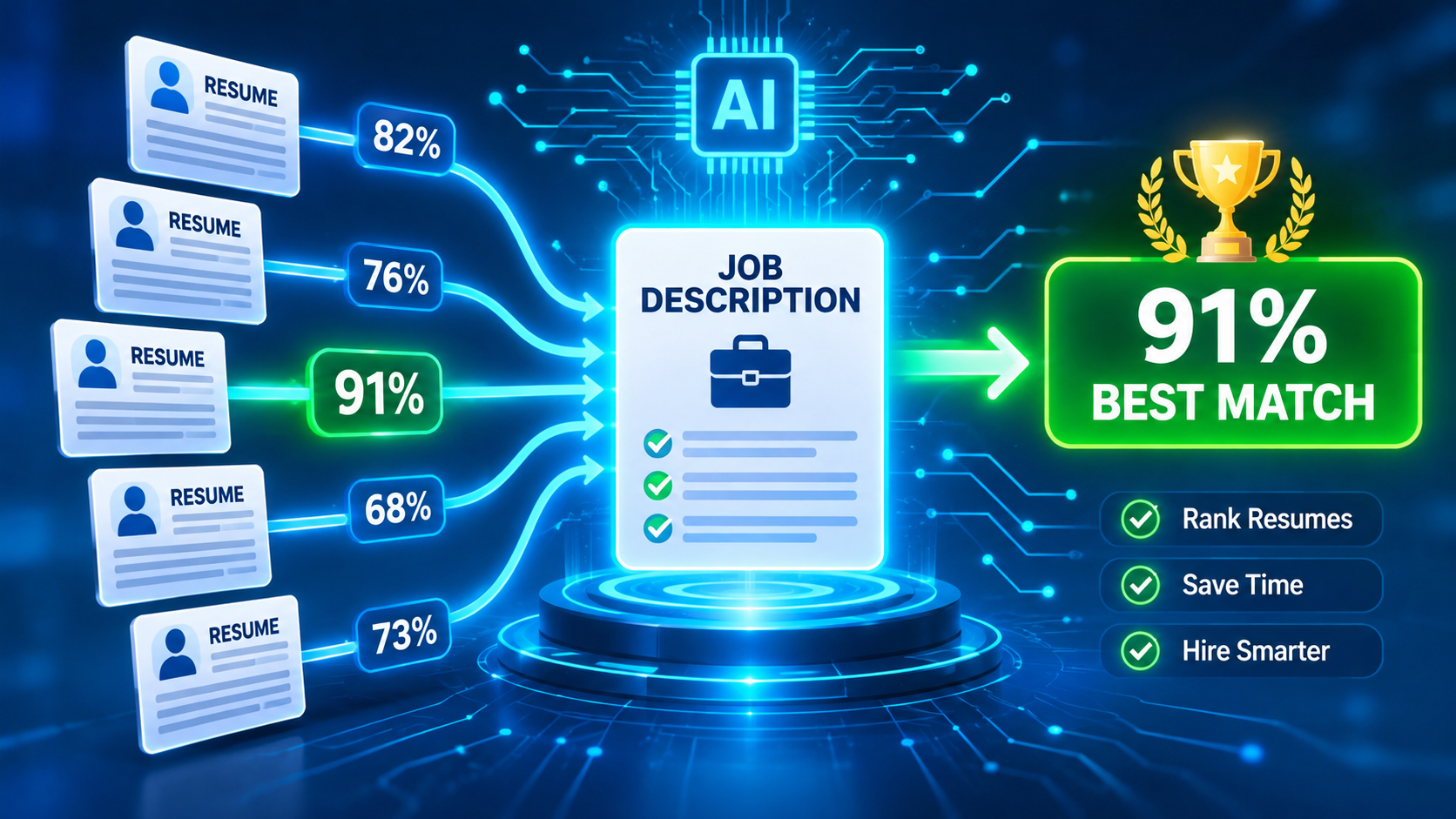
    In high‑growth companies, a single opening can attract hundreds of applications within hours. Traditional ATS filters—often simple keyword checklists—can flag a portion of those resumes, but they leave hiring managers sifting through endless PDFs, trying to spot the truly qualified candidates. A bulk resume scanner solves this bottleneck by automatically scoring every submission against one job description, delivering a ranked shortlist in minutes.

    Studies show that recruiters agree on a candidate’s fit less than half the time when reviewing the same resume twice (Cohen’s Kappa ~0.49). The inconsistency stems from human bias, fatigue, and the sheer volume of data. AI‑driven bulk scoring brings a repeatable, data‑backed layer to the decision process, reducing variance and freeing recruiters to focus on nuanced interview stages.

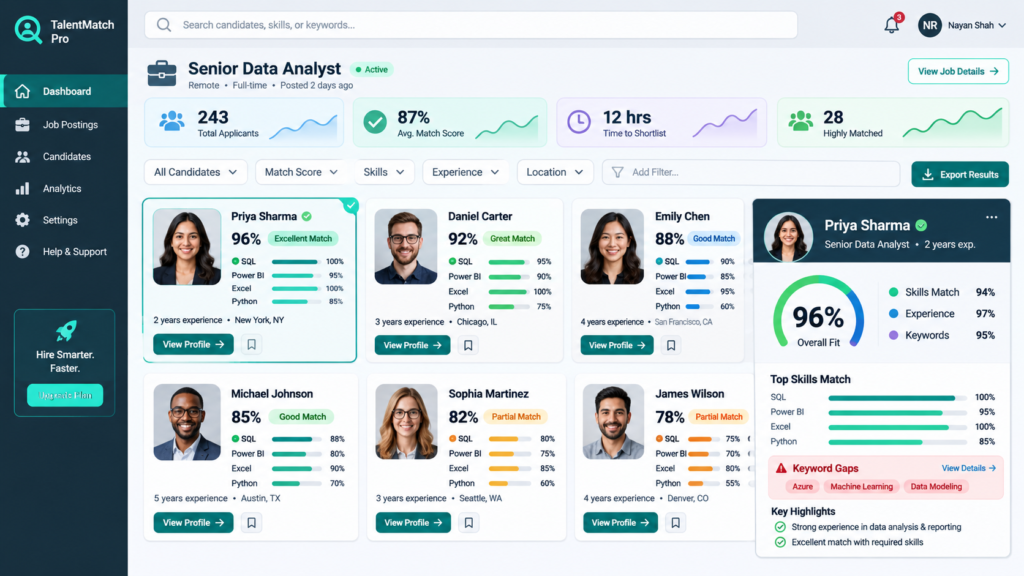
    Dashboard view of a bulk resume scanner showing multiple candidate scores and highlighted skill gaps
    Dashboard view of a bulk resume scanner showing multiple candidate scores and highlighted skill gaps

    How AI Resume Scanners Score Resumes

    Most commercial bulk scanners—such as JustInterview.ai, MokaHR, and Metaview—break the evaluation into three core dimensions:

    1. Skills Match: The algorithm parses hard and soft skills from the job description and cross‑references them with the candidate’s listed abilities. Synonyms, related titles, and industry‑specific jargon are taken into account, so “Java” and “J2EE” both count toward a Java developer role.
    2. Experience Depth: Years of experience, seniority clues (e.g., “lead”, “manager”), and the relevance of past roles are weighted. A senior engineer with five years of relevant experience scores higher than a recent graduate with unrelated internships.
    3. Role Alignment: This looks beyond keywords to assess whether the candidate’s career trajectory matches the responsibilities outlined. AI models read sentences in plain language, giving credit for related achievements (e.g., “built a microservice architecture” aligns with “design scalable backend systems”).

    Each dimension receives a sub‑score (0‑100). The platform then aggregates them—often with customizable weighting—to produce a final fit score. The result is a single numeric value that recruiters can sort, filter, or integrate into scorecards.

    Critically, the score does NOT guarantee an interview. It is a probability indicator, similar to the match score you see in tools like Jobscan, but applied at scale to hundreds of resumes.

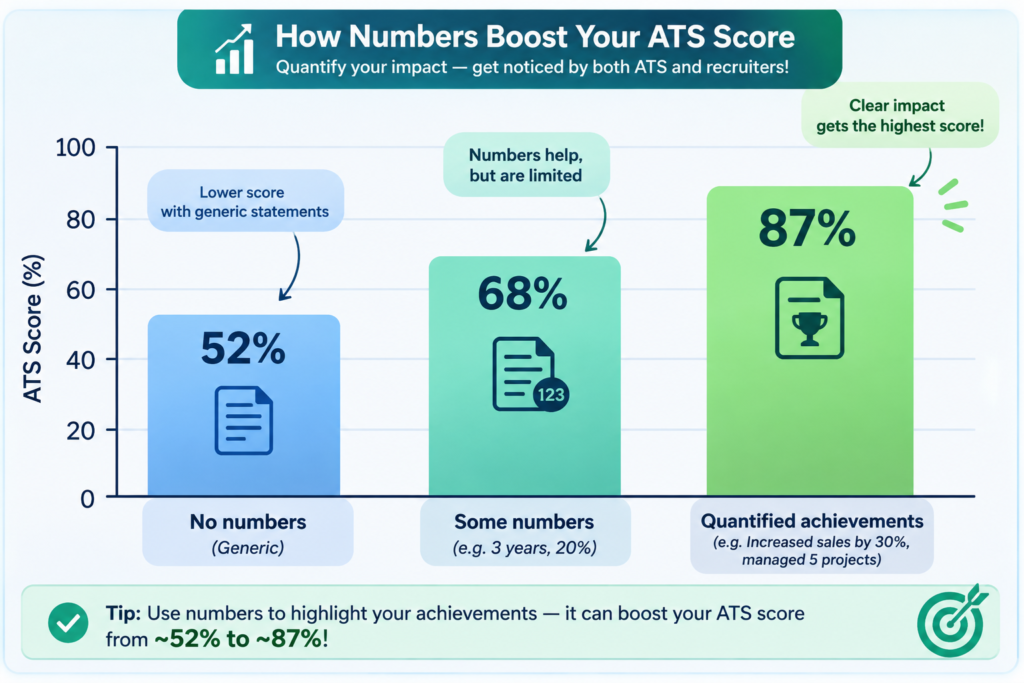
    Bar chart comparing quantified bullet point impact on ATS scores across several resumes
    Bar chart comparing quantified bullet point impact on ATS scores across several resumes

    Beyond Keywords: The Hidden Drivers of a High ATS Score

    Keyword overlap is essential, yet research covering 336,637 resume checks reveals that over‑reliance on buzzwords can actually drag scores down. Vague descriptors such as “hardworking” or “team player” are associated with a 9.3‑point drop, while quantified achievements boost scores by an average of seven points. In fact, resumes with three or more quantified bullets averaged 71.8/100, compared with 64.8/100 for those without numbers.

    For candidates, the takeaway is clear:

    • Replace generic adjectives with concrete results (“increased conversion rate by 22%” instead of “improved conversion”).
    • Limit overused buzzwords; sprinkle them sparingly and back them with data.
    • Use the free keyword scanner to identify missing terms before bulk submission.

    For recruiters, augment the AI score with a quick visual of quantified content. Many bulk tools provide a flag system—green for bullet points with numbers, red for missing metrics—allowing you to spot high‑potential candidates even if their raw score is marginally lower.

    Choosing the Right Bulk Screening Tool

    Not all AI resume scanners are built the same. Below is a quick comparison of leading platforms, focusing on features that matter when you need to score many resumes against one posting.

    ToolCore Scoring MethodBatch SizeExplainabilityKey Differentiator
    MokaHRAI‑native matching with explainable weight breakdownUnlimited (cloud‑based)Score rationale shown per skill3× faster screening, 87% consistency with human reviews
    GreenhouseStructured bulk filters + scorecards10,000+ per jobBoolean/keyword transparencyIntegrated scheduling & interview kits
    JustInterview.aiSkills, experience depth, role alignment500 in 2 minutesRed/green flags directly in CV viewExport to CSV or ATS in real‑time
    MetaviewIdeal‑candidate profile matching with plain‑language reasoningUnlimitedFraud detection & auto‑re‑score on requirement changesLearning loop from recruiter decisions

    When deciding, consider three questions: (1) Does the tool let you customize weighting for your unique role? (2) Can you export the ranked list directly into your ATS (MyResumeScan’s resume scanner offers seamless API integration)? (3) Does the UI surface explainable flags so you can audit the algorithm?

    Implementing a Bulk Scanning Workflow

    1. Define the Ideal Candidate Profile: Start with a detailed job description, then extract core competencies, required years of experience, and preferred achievements. This becomes the “ground truth” for the AI.
    2. Upload Resumes in Bulk: Most platforms accept PDF, DOCX, or CSV (the latter for LinkedIn export). Ensure files are named consistently for traceability.
    3. Run the Scan and Review Scores: The system returns a ranked list with overall fit scores and sub‑scores. Use filters (e.g., “skills match > 80%” and “quantified bullets >= 2”) to narrow down.
    4. Audit Flagged Items: Look at red flags such as missing dates, generic language, or formatting errors. These often indicate low ATS readiness and can be corrected before moving forward.
    5. Combine with Human Review: Select the top 10‑15 candidates for a quick recruiter screen or a structured interview. Remember the study showing AI achieves a Cohen’s Kappa of 0.45 with humans—close, but not a replacement for human judgment.
    6. Iterate: As you hire, feed back outcomes into the tool. Many platforms (Metaview, MokaHR) learn from recruiter selections to fine‑tune future scores.

    For a hands‑on example, see our Bulk Resume Scanner page, where you can try a free trial with your own job description.

    Best Practices for Candidates Facing Bulk Screening

    • Tailor, but don’t over‑optimize: Align your resume to the posting, but keep the narrative authentic. Excessive keyword stuffing can trigger recruiter skepticism; a 40% rise in rejections was linked to inflated keyword density.
    • Quantify Everywhere: Aim for numbers in at least 30% of bullet points. Use percentages, dollar values, or time frames.
    • Use ATS‑Friendly Formatting: Simple headings (“Experience”, “Skills”), standard fonts, and no tables or graphics. Our AI resume builder offers templates that pass most scanners.
    • Run a Pre‑Check: Before sending a bulk application, run your resume through the free ATS checker to see the raw score and missing terms.

    FAQs About Bulk Resume Scanning

    Is a high AI score enough to guarantee an interview?

    No. The score reflects keyword and experience alignment, not cultural fit or soft‑skill assessment. Use it as a triage tool, then apply human judgment.

    Can I customize the weighting of skills vs. experience?

    Most enterprise‑grade tools allow you to set weight percentages. For senior roles, you might weight experience depth at 60% and skills match at 40%.

    How secure is my data?

    Many scanners, including MyResumeScan’s AI scanner, run client‑side parsing, meaning the resume never leaves your browser unless you explicitly upload it to a cloud service.

    What if I have to change the job description after the scan?

    Tools like Metaview automatically re‑score all candidates when you edit the ideal‑candidate profile, saving you from a manual re‑upload.

    Conclusion: Scoring Multiple Resumes Becomes a Competitive Advantage

    Bulk resume scanners turn the chaotic influx of applications into a data‑driven shortlist, delivering three core benefits: speed (up to 3× faster than manual review), consistency (objective match scores across hundreds of candidates), and insight (transparent flags that highlight resume weaknesses). When combined with best‑practice resume writing—quantified achievements, concise language, and ATS‑friendly formatting—both recruiters and job seekers gain a clearer, fairer view of fit.

    Start experimenting today: upload your job description into the Bulk Resume Scanner and see how AI can rank dozens of resumes in seconds. The future of hiring isn’t just about who applies; it’s about who the technology tells you is worth meeting.

  • Scan My Resume for Keywords

    Recruiters and Applicant Tracking Systems (ATS) rely heavily on keywords to filter resumes before a human ever sees them.

    Our resume keyword scanner helps you find missing skills, tools, and phrases by comparing your resume directly with a job description.

    Why Resume Keywords Matter?

    Most companies use ATS software to scan resumes for specific keywords related to skills, tools, and job responsibilities.

    If your resume does not include enough relevant keywords, it may be rejected automatically—even if you are qualified for the role.

    A keyword-optimized resume improves visibility, ranking, and shortlisting chances.

    What Keywords Recruiters Look For?

    Recruiters search for a mix of technical skills, soft skills, tools, certifications, and role-specific terminology.

    These keywords often come directly from the job description and vary by role, industry, and seniority level.

    Missing even a few critical keywords can significantly reduce your chances of getting interviews.

    How the Resume Keyword Scanner Works?

    First, the scanner extracts important keywords from the job description you provide.

    Next, it analyzes your resume to check which keywords are present, missing, or weakly represented.

    Finally, you receive a clear report highlighting missing keywords and suggestions to improve keyword alignment.

    Keyword Match Score Explained

    The keyword match score shows how closely your resume aligns with the job description based on keyword usage.

    A higher score means your resume contains more relevant keywords used by recruiters and ATS systems.

    A low score indicates missing or underused keywords that should be added naturally to your resume.

    Who Should Scan Their Resume for Keywords?

    Freshers can identify missing technical or role-specific keywords before applying for their first job.

    Experienced professionals can tailor resumes for specific job postings and companies.

    Career switchers can ensure transferable skills are clearly highlighted using the right keywords.

    Who Should Use This?

    • Job seekers applying online
    • Freshers and recent graduates
    • Professionals tailoring resumes per job
    • Career switchers
  • Resume Scanner with Job Description Comparison

    Every job is different, and sending the same resume everywhere reduces your chances.

    Our resume scanner compares your resume directly with a job description to highlight missing keywords, skill gaps, and ATS mismatches.

    Why Compare Your Resume with a Job Description?

    Applicant Tracking Systems screen resumes based on how closely they match job descriptions.

    If your resume does not reflect the required skills, tools, and experience listed in the job description, it may never reach a recruiter.

    Comparing your resume with a job description allows you to tailor it for each application.

    How Resume and Job Description Matching Works?

    Our scanner extracts key requirements from the job description.

    It then compares those requirements with your resume’s skills, experience, and content.

    You receive a clear ATS match score and a breakdown of missing or weak areas.

    What the Resume–JD Comparison Reveals?

    Missing keywords required by the employer.

    Skills mentioned in the job description but absent from your resume.

    Experience gaps or unclear role alignment.

    Formatting or clarity issues that affect ATS parsing.

    ATS Match Score Explained

    The ATS match score shows how well your resume aligns with a specific job description.

    Higher scores indicate stronger relevance and higher chances of passing automated screening.

    Lower scores highlight areas where your resume needs tailoring.

    Who Should Use Resume–JD Matching?

    Job seekers applying to multiple roles.

    Professionals targeting specific companies.

    Candidates in competitive hiring markets.

    Who Should Use This?

    • Active job applicants
    • Experienced professionals
    • Candidates applying to multiple roles
  • Resume Scanner for Software Engineers

    Software engineer resumes are often rejected by ATS due to missing technical keywords, unclear project descriptions, or poor structure.

    Our resume scanner analyzes your software engineer resume against job descriptions to check ATS compatibility, technical skill alignment, and role relevance.

    Why Software Engineer Resumes Fail ATS Screening?

    Many software engineer resumes list technologies without explaining how they were used in real projects.

    ATS systems prioritize contextual usage of programming languages, frameworks, and tools rather than simple skill lists.

    Missing keywords like system design, APIs, cloud platforms, or testing practices can lead to automatic rejection.

    What Recruiters Look for in Software Engineer Resumes?

    Recruiters expect clear project descriptions, tech stacks, and measurable outcomes.

    ATS systems scan for programming languages, frameworks, databases, cloud services, and development practices.

    Resumes that clearly demonstrate impact, scalability, and collaboration perform better in automated screening.

    How Our Software Engineer Resume Scanner Works?

    The scanner extracts technical skills, tools, and experience from your resume.

    It compares them with the job description to identify missing or weak technical keywords.

    You receive an ATS score along with actionable recommendations tailored for software engineering roles.

    Software Engineer ATS Score Explained

    The ATS score reflects how well your resume matches the technical and role-specific requirements of the job.

    Higher scores indicate strong keyword alignment, clear project evidence, and ATS-friendly formatting.

    Lower scores highlight missing technologies, unclear experience, or structural issues.

    Who Should Use This Software Engineer Resume Scanner?

    Frontend, backend, and full-stack developers.

    Freshers and junior software engineers applying for their first roles.

    Experienced engineers applying to product-based or enterprise companies.

    Who Should Use This?

    • Frontend developers
    • Backend developers
    • Full-stack engineers
    • Software engineering freshers
  • Resume Scanner for Product Managers

    Product manager resumes must clearly demonstrate ownership, impact, and decision-making while remaining ATS-friendly.

    Our resume scanner evaluates your PM resume against job descriptions to identify missing keywords, metrics, and leadership signals.

    Why Product Manager Resumes Get Rejected by ATS?

    Many PM resumes describe responsibilities but fail to quantify impact or include product-specific keywords.

    ATS systems look for structured evidence of ownership, metrics, and tools that match the job description.

    How the Product Manager Resume Scanner Works?

    The scanner extracts product skills, tools, and metrics from your resume.

    It compares them with the job description to evaluate alignment with role expectations.

    You receive an ATS score and specific improvement recommendations.

    Product Management Keywords We Analyze

    The scanner checks for keywords such as product strategy, roadmaps, OKRs, analytics tools, user research, stakeholder management, and delivery frameworks.

    It also evaluates whether your resume demonstrates measurable product impact.

    Who Should Use This PM Resume Scanner?

    This tool is designed for associate PMs, senior PMs, and product leaders.

    It is also useful for software engineers transitioning into product roles.

    Who Should Use This?

    • Product managers
    • Associate PMs
    • Senior PMs
    • Engineers moving to PM roles
  • Resume Scanner for Marketing Professionals

    Marketing resumes must balance creativity with ATS optimization. Our resume scanner analyzes your marketing resume for role-specific keywords, tools, and measurable impact.

    Scan your resume against a marketing job description and instantly see missing keywords, ATS score, and improvement suggestions.

    Why Marketing Resumes Fail ATS Screening?

    Many marketing resumes focus heavily on branding and creativity but fail to include ATS-friendly keywords. Applicant Tracking Systems prioritize measurable results, tools, and campaign-specific terms.

    Without proper keyword alignment, even experienced marketers may never reach the recruiter’s inbox.

    How Our Marketing Resume Scanner Works?

    Our scanner extracts marketing skills, tools, and campaign metrics from your resume.

    It compares them against the job description to identify keyword gaps, missing tools, and weak impact statements.

    You receive an ATS score along with actionable suggestions tailored specifically for marketing roles.

    Marketing Keywords and Skills We Analyze

    The scanner checks for marketing-specific keywords such as SEO, SEM, content strategy, analytics tools, CRM platforms, social media campaigns, and performance metrics.

    It also evaluates how well your resume demonstrates results like growth, conversions, engagement, and ROI.

    Who Should Use This Marketing Resume Scanner?

    This tool is ideal for digital marketers, content marketers, SEO specialists, performance marketers, and brand managers.

    Whether you are applying for agency roles or in-house marketing positions, scanning your resume improves ATS visibility.

    Who Should Use This?

    • Digital marketers
    • SEO & content specialists
    • Marketing managers
    • Freshers in marketing
  • Resume Scanner for Freshers

    Freshers often get rejected by ATS not because they lack skills, but because their resumes are poorly structured or missing the right keywords.

    Our resume scanner helps freshers optimize resumes for ATS by analyzing skills, projects, internships, and job relevance.

    Why Fresher Resumes Fail ATS Screening?

    Most fresher resumes are rejected due to missing role-specific keywords, weak project descriptions, or incorrect formatting.

    ATS systems do not understand potential — they only scan for keywords, structure, and relevance.

    Even strong skills can be ignored if they are not presented in an ATS-friendly way.

    What ATS Looks for in Fresher Resumes?

    ATS systems scan fresher resumes for skills, tools, certifications, projects, and internships.

    Well-described academic projects and internships can significantly improve ATS scores.

    Clear section headings and keyword alignment matter more than years of experience.

    How Our Fresher Resume Scanner Works?

    The scanner extracts skills, projects, and education details from your resume.

    It compares your resume with the job description to find missing or weak keywords.

    You receive an ATS score and clear suggestions to improve your resume even without experience.

    Fresher ATS Score Explained

    The ATS score reflects how well your resume matches entry-level job requirements.

    Higher scores mean your skills and projects align well with the job description.

    Lower scores indicate missing keywords, unclear project details, or formatting issues.

    Who Should Use This Fresher Resume Scanner?

    Final-year students preparing for placements.

    Recent graduates applying for entry-level roles.

    Freshers applying through online job portals.

    Who Should Use This?

    • Fresh graduates
    • Final-year students
    • Entry-level job seekers
  • Resume Scanner for Data Analysts

    Data analyst resumes are often rejected by ATS due to missing analytical keywords, unclear project impact, or weak tool descriptions.

    Our resume scanner analyzes your data analyst resume against job descriptions to check ATS compatibility, tool alignment, and role relevance.

    Why Data Analyst Resumes Fail ATS Screening?

    Many data analyst resumes list tools like SQL, Python, or Excel without explaining how they were used to solve business problems.

    ATS systems look for contextual evidence of data analysis, reporting, visualization, and decision-making.

    Missing keywords related to analytics workflows, metrics, or business outcomes can lead to automatic rejection.

    What Recruiters Look for in Data Analyst Resumes?

    Recruiters expect clear descriptions of data projects, datasets, tools, and measurable impact.

    ATS systems scan for analytical tools, programming languages, BI platforms, and statistical concepts.

    Resumes that connect data insights to business decisions perform better in screening.

    How Our Data Analyst Resume Scanner Works?

    The scanner extracts analytical skills, tools, and experience from your resume.

    It compares your resume with the job description to detect missing or weak analytical keywords.

    You receive an ATS score and recommendations tailored specifically for data analyst roles.

    Data Analyst ATS Score Explained

    The ATS score shows how well your resume matches the analytical and technical requirements of the role.

    Higher scores indicate strong tool usage, clear project outcomes, and ATS-friendly structure.

    Lower scores highlight missing tools, vague project descriptions, or formatting issues.

    Who Should Use This Data Analyst Resume Scanner?

    Entry-level and junior data analysts.

    Experienced analysts applying for product, finance, or business analytics roles.

    Professionals transitioning into data analytics from other domains.

    Who Should Use This?

    • Data analysts
    • Business analysts
    • BI analysts
    • Analytics freshers